Formstack Marketing Teardown
A deep-dive analysis of formstack.com's homepage messaging, scored 79/100 (A).
Clear headline, no proof near the top. Nothing up top tells a visitor that others already use it.
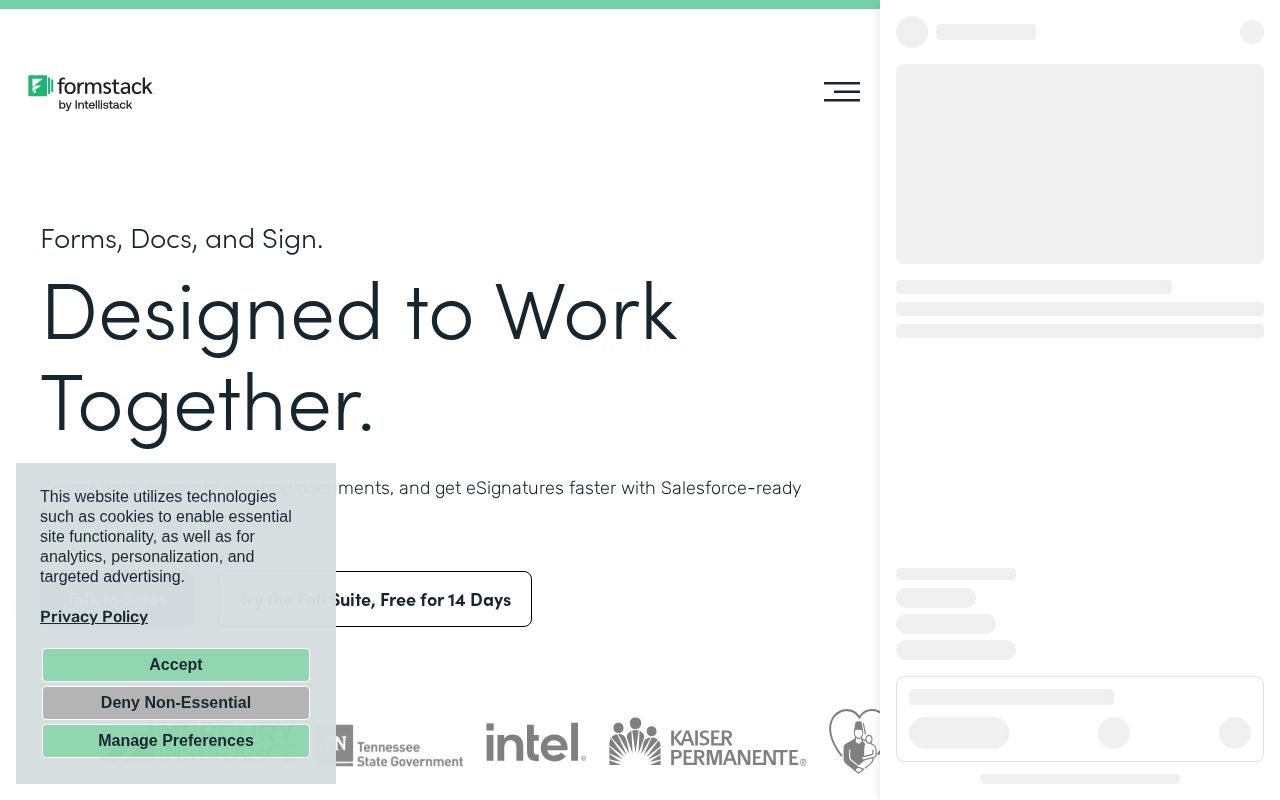
First screen at 1280px wide.
What we noticed
- 1
Nothing near the top says anyone else uses it.
Your Google snippet says “Formstack helps 32,000+ organizations streamline workflows with powerful online…”. The top of the page doesn’t.
Try: Put that line, or a row of customer logos, right under the buttons.
- 2
The headline says what it is.
“Forms, Docs, and Sign. Designed to Work Together.” tells a visitor what this is in one read.
- 3
Good button.
“Talk to Sales” says what you get. Keep it.
- 4
It’s clear who it’s for.
The copy names its audience, so the right visitors recognize themselves quickly.
- 5
Nothing says why this and not a competitor.
We didn’t find a line only Formstack could say: a number, a method, a guarantee.
Try: Add one claim a competitor couldn’t copy.
79/100
A19 points above the median of 60
Scorecard
Analysis
Formstack scores 79 out of 100, an A. A first-time visitor can tell what this is, who it's for and why it matters. That puts it in the top 10% of the 30,521 homepages we've ranked, where the median is 60. Among B2B SaaS sites, where the median is 73, it's 6 points ahead.
The headline reads "Forms, Docs, and Sign. Designed to Work Together.". The verbs hint at what the product does, but the headline could say more plainly what it is. Its clarity score of 90 is above the overall median of 39.
The page has 7 CTAs, 2 of them above the fold. The main button, "Talk to Sales", promises a benefit rather than just an action. Its CTA score is 75, above the median of 45.
The homepage makes it obvious who this is for. Detected audience: enterprise / mid-market, B2B SaaS, manager and team. It uses a "for [audience]" line: "creating forms". Its ICP score is 91, above the median of 35.
Formstack fits the "Price / Value Leader" archetype with high confidence.
The pricing page has a free tier, an annual billing toggle, and social proof elements. 6 tiers is a lot. Two to four is the sweet spot, and past that buyers get stuck comparing options. Show actual prices on your pricing page. Hidden pricing creates friction and drives visitors away.
Hero Text
"Forms, Docs, and Sign. Designed to Work Together."
Word count
8 words
Specificity
specific
The verbs hint at what the product does, but the headline could say more plainly what it is.
Subhead
"Collect data, generate polished documents, and get eSignatures faster with Salesforce-ready tools."
Calls to Action (7 found)
Positioning: Price / Value Leader
Audience Targeting
Specificity
crystal-clear
Detected audience
enterprise / mid-market, B2B SaaS, manager and team
"For X" pattern
"creating forms"
Recommendations
- Your ICP definition is strong. Consider testing whether narrowing further (e.g., adding company stage or specific pain point) improves conversion.
First Impression
A visitor would think this is a b2b saas for someone that offers tool that designs.
Pricing Page
Tiers
6
Free tier
Yes
Score
75/100
- Show actual prices on your pricing page. Hidden pricing creates friction and drives visitors away.
- Too many tiers create decision fatigue. Aim for 2-4 tiers with clear differentiation.
- Add a FAQ section to your pricing page. It addresses objections and reduces support load.
- Add a feature comparison table. It helps visitors understand the differences between tiers at a glance.
Want a human to tear down formstack.com?
Each week Alex Stonehouse of Brilliantly Wrong records five free video teardowns for sites that ask. Each one covers what a first-time buyer takes away and the three fixes that matter most.
Compare Formstack
Get the same analysis for your site
Grade Your HomepageWant a team to help fix this?
Work with us